Why Paper Lists Fail at Scale
A small holiday camp with 20 children can manage medical and dietary information on paper. The camp leader knows every child by name, knows who carries an EpiPen, and remembers who cannot have dairy. Scaling to 60, 80, or 120 children across multiple groups and venues makes this approach dangerously unreliable.
Paper lists get left in the office when the group goes to the field. They are not updated when a parent calls to report a new allergy. The kitchen team has a different version from the activity leaders. And when a relief staff member covers a session at short notice, they may not see the list at all.
A digital medical and dietary dashboard solves these problems by providing a single source of truth that is accessible to every authorised staff member, updated in real time, and designed to surface critical information at the moment it is needed.
Allergy Badges and Visual Identification
The most critical piece of medical information is allergy status, because allergic reactions can escalate to life-threatening emergencies within minutes. Every staff member who interacts with a child needs to know their allergy status without having to look it up.
Physical Identification
Many camps use coloured wristbands to indicate allergy status at a glance:
- Red wristband: Anaphylaxis risk, carries EpiPen. This child must never be given food without checking with the allergy register. Their EpiPen must be within immediate reach at all times.
- Yellow wristband: Food allergy or intolerance (non-anaphylactic). Check the register before offering any food or snacks.
- Green wristband: No known allergies. Standard catering applies.
Wristbands are a first line of defence, not a complete solution. They tell the staff member to check, but they do not tell them what the specific allergy is. That is where the digital dashboard comes in.
Digital Allergy Profiles
Each child's profile on the dashboard should display their allergy information prominently, including the allergen, the severity (mild intolerance, moderate allergy, severe/anaphylaxis), the medication carried (antihistamine, EpiPen, inhaler), and any specific instructions from the parent or GP.
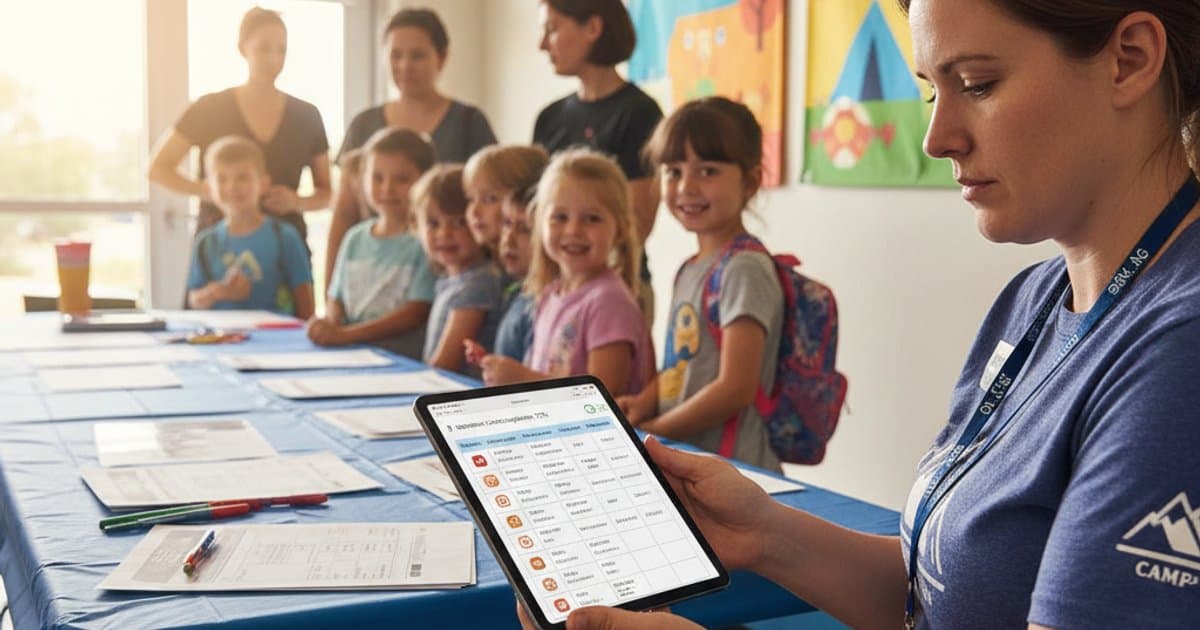
Group leaders should be able to view a summary screen showing all children in their group with their allergy status colour-coded. Tapping on a child's name brings up the full detail. This should be accessible on a tablet or smartphone, so it is available at the point of care, not just in the office.
Medication Logging and Scheduling
Some children need medication administered at specific times during the camp day. Asthma preventers, antihistamines, ADHD medication, and insulin are all common. Your dashboard needs to manage the complete medication lifecycle: receipt, storage, administration, and return.
Digital Medication Log
When medication is received at drop-off, a staff member enters it into the system: child's name, medication name, dosage, frequency, and storage requirements. The system generates a scheduled reminder at the correct time. When the dose is administered, the staff member logs it on the dashboard, recording the time, dose given, and their name. A second staff member witnesses and confirms.
This digital log replaces the paper medication book and offers several advantages:
- Automated reminders: No reliance on a staff member remembering that Oliver needs his inhaler at 12:30. The system prompts them.
- Audit trail: Every administration is timestamped and attributed. If a parent queries whether their child received their medication, you have a definitive answer.
- Handover support: If a relief staff member takes over mid-afternoon, the dashboard shows them exactly what medication is due and what has already been given.
- End-of-day reconciliation: The system flags any medication that was not returned to the parent at collection, preventing medication being left on site overnight.
Controlled Medication Protocols
Some medications (particularly ADHD medications such as methylphenidate) are controlled substances. These must be stored in a locked container, and the count must be verified at receipt and return. Your dashboard should support a count-in, count-out process with two-staff verification for controlled medications.
Emergency Protocol Integration
When a medical emergency occurs, staff need instant access to the child's full medical profile and the correct emergency protocol. Fumbling through a filing cabinet during an anaphylactic reaction wastes critical seconds.
One-Tap Emergency View
Your dashboard should have a prominent emergency button that brings up the child's full medical record in a single tap: conditions, medications, allergy details, emergency contacts, GP details, and the relevant emergency protocol (anaphylaxis, asthma, seizure, diabetic emergency).
The emergency protocol should be displayed as a clear, step-by-step checklist:
- Step 1: Administer EpiPen to outer thigh.
- Step 2: Call 999. State "anaphylactic reaction" and give the venue address.
- Step 3: Position the child sitting upright (if breathing) or in recovery position (if unconscious).
- Step 4: Call the parent using the emergency contact number displayed.
- Step 5: Note the time of EpiPen administration for the paramedics.
This checklist should be designed for use under extreme stress. Large text, high contrast, numbered steps, no scrolling. Every second matters.
Incident Recording
After any medical incident, the dashboard should prompt a structured incident report: what happened, what action was taken, who was involved, and what follow-up is needed. This report is automatically shared with the camp manager, stored against the child's record, and available for review by the parent and (if required) by Ofsted or the local safeguarding board.
Kitchen Integration
If your camp provides meals or snacks, the kitchen needs access to dietary information in a format they can use. A list of 120 children's names with their allergies is not useful when the kitchen team is plating 80 lunches in 30 minutes.
Daily Kitchen Report
Generate a daily kitchen report from the dashboard that shows:
- Total meals required by type (standard, vegetarian, vegan, halal, kosher, gluten-free, dairy-free, nut-free).
- Named special meals: Each child with a specific dietary need, their group, and the exact requirement. "Amelia, Group B: dairy-free and egg-free. No cheese, butter, milk, eggs, or products containing these."
- Cross-contamination alerts: Children with contact-level allergies who must have food prepared on separate surfaces.
This report should be generated automatically each morning based on the day's attendance register and emailed or displayed in the kitchen by 08:00. If a late booking or cancellation changes the numbers, an updated report should be issued immediately.
Meal Labelling
Special meals should be individually labelled with the child's name and their dietary requirement, colour-coded to match the wristband system. This prevents mix-ups during the busy lunch service and ensures the right meal reaches the right child.
A medical dashboard is not a nice-to-have. It is a duty of care tool. When you are responsible for a child's health, the information you need must be instantly accessible, unambiguously clear, and always up to date.
Key Takeaways
- Use coloured wristbands for instant visual identification of allergy status, backed by detailed digital allergy profiles accessible on tablets and smartphones.
- Log all medication administration digitally with automated reminders, two-staff witnessing, and end-of-day reconciliation to prevent medication being left on site.
- Build a one-tap emergency view that displays the child's full medical record and a step-by-step emergency protocol designed for use under stress.
- Generate daily kitchen reports automatically from the attendance register, itemising every special dietary need by child name and group.
- Label special meals individually and colour-code them to match the wristband system to prevent mix-ups during service.
